

PI Integrated Lights-Out
By Daniel Samson, CO-AUTHORED-BY: CLAUDE OPUS 4.8 <NOREPLY@ANTHROPIC.COM> · 2026-06-10
Every homelab eventually reaches a point where you need to manage it without being physically present. Enterprise gear solves this with dedicated out-of-band management chips — iDRAC on Dell, iLO on HP, IPMI on everything else. Collectively, this class of feature is called Integrated Lights-Out (ILO): a way to power-cycle, console into, and monitor a machine even when the OS is completely dead. My homelab, Samson Media, doesn't run enterprise iron — so I built my own.
What is Integrated Lights-Out?
The term comes from HP's iLO product, but the concept is universal. A small, always-on management processor sits alongside the main system and gives you a network-accessible interface that is completely independent of the host OS. You can view sensor data, mount virtual media, access a serial or video console, and — most importantly — cut and restore power. The "lights-out" part means you can do all of that with the data centre lights literally off and nobody in the room.
For consumer and prosumer hardware, none of this exists out of the box. You either SSH in (useless if the node is hung), physically press a button, or accept that a locked-up machine stays locked up until someone walks over to it. That last option doesn't work for me.
Enter Ragnarok
Ragnarok is a 1U rack controller I designed around a spare Raspberry Pi 5 16 GB. It lives in the rack alongside everything it manages and takes up a single unit. The idea is simple: give the homelab the out-of-band management layer it never shipped with.
The front face is where things get a bit over-engineered in the best possible way. There's a row of small colour LCD panels — one per node — each showing a real-time power "EQ" bar, a bit like the VU meters on an old hi-fi. Next to those sits a menu screen with ATM-style soft-key controls: a column of physical buttons whose function changes depending on what's on screen. It looks absurd and I love it.
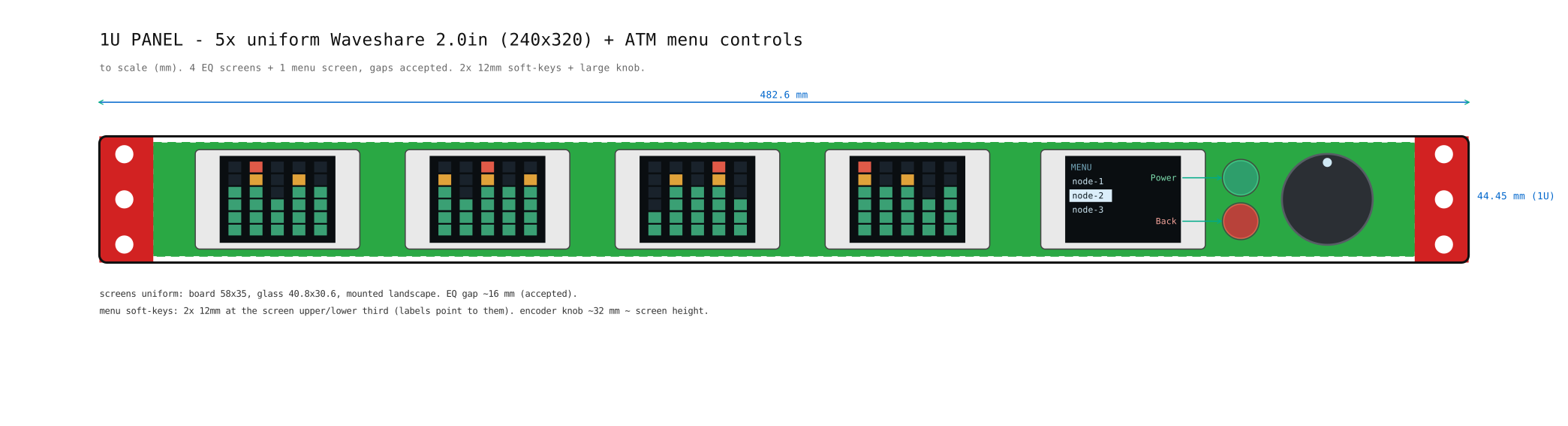
The faceplate design went through a few iterations before I was happy with the layout. Getting the soft-key buttons to align visually with the menu screen — while still leaving room for the per-node LCD strip — took more fiddling with calipers than I'd like to admit.
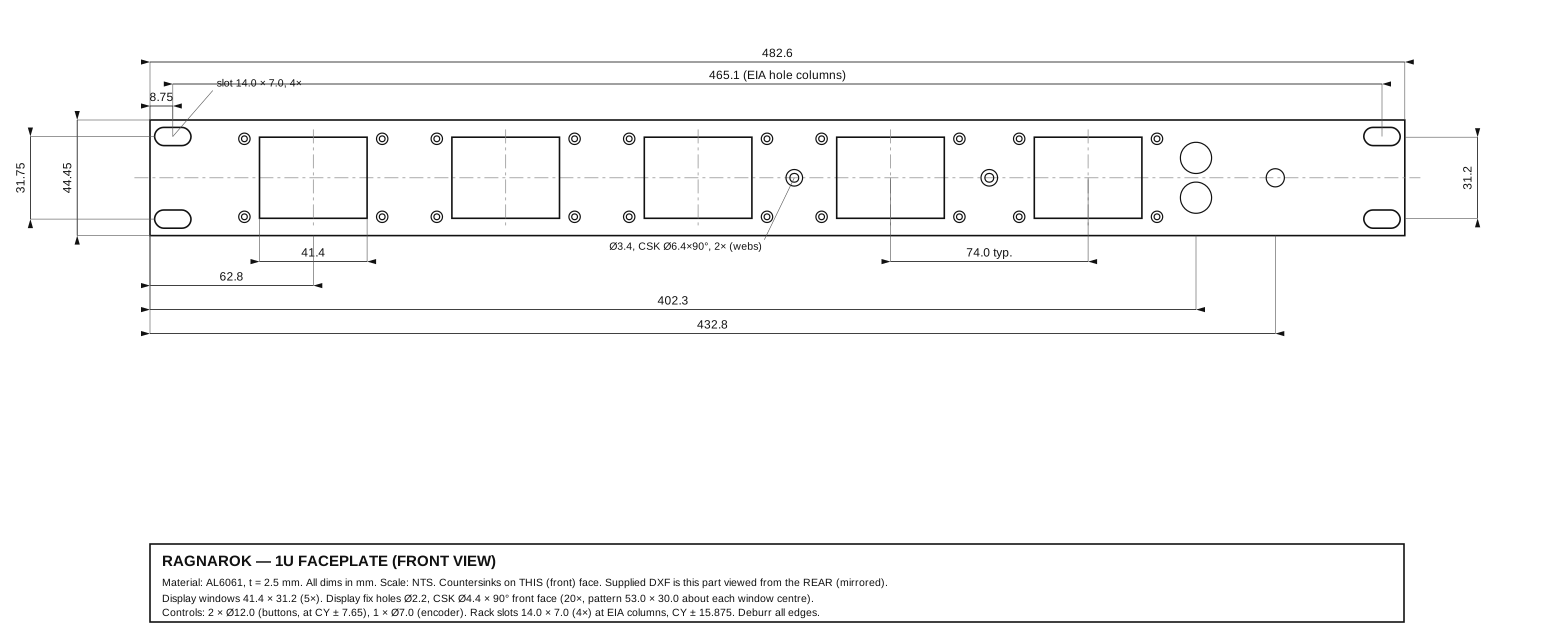
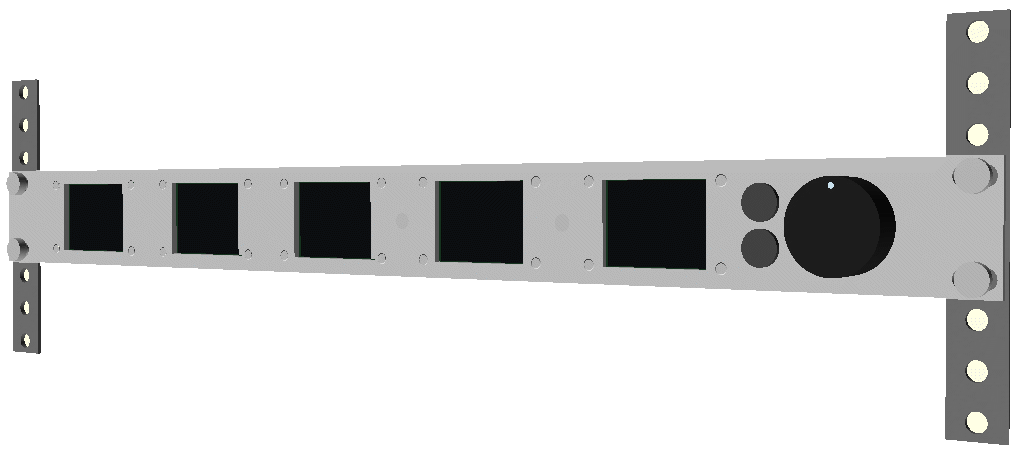
Assembly
The front assembly houses the LCD strip, the menu display, and the soft-key buttons, all mounted on a machined faceplate. Everything is wired back to the Pi 5 sitting just behind it.
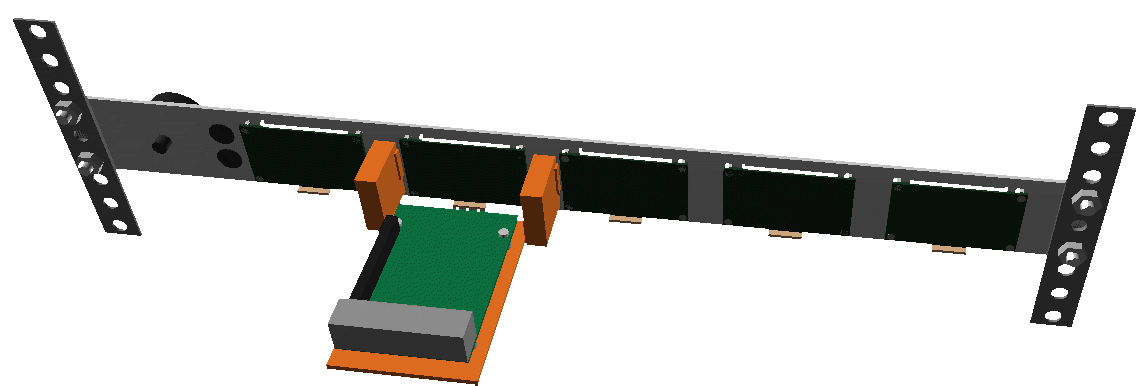
The back is where the real wiring lives. Power control lines, network connections for out-of-band communication, and the Pi's own power supply all terminate here. It's… dense. But tidy.
Remote web app
The physical front panel is great when I'm standing in front of the rack. But the whole point of lights-out management is that I'm not standing in front of it. Ragnarok also exposes a remote web application — a dashboard that mirrors what the front panel shows and lets me perform the same power and management operations from anywhere. Same data, same controls, just in a browser tab rather than on a tiny LCD.
There's more to write about the software side — the Pi runs a small service that aggregates node power data, drives the displays, and serves the web UI. I'll cover that in a follow-up post. For now, the hardware is built, it's mounted in the rack, and the lights are out.